


Updated October 2026

Lucky365 Download | Android APK and iPhone Access

Get Lucky365 on your phone in a few minutes. Android users can install the APK file. iPhone users can open the H5 web app.

Scan to Get Lucky365 on Your Phone

On a computer? Scan a QR code with your phone camera to get Lucky365 on your phone. Already on your phone? Just tap the code.

Android APK QR code to download the Lucky365 Android APK Instructions

The install only takes a few minutes. Follow these steps in Chrome on your Android phone.
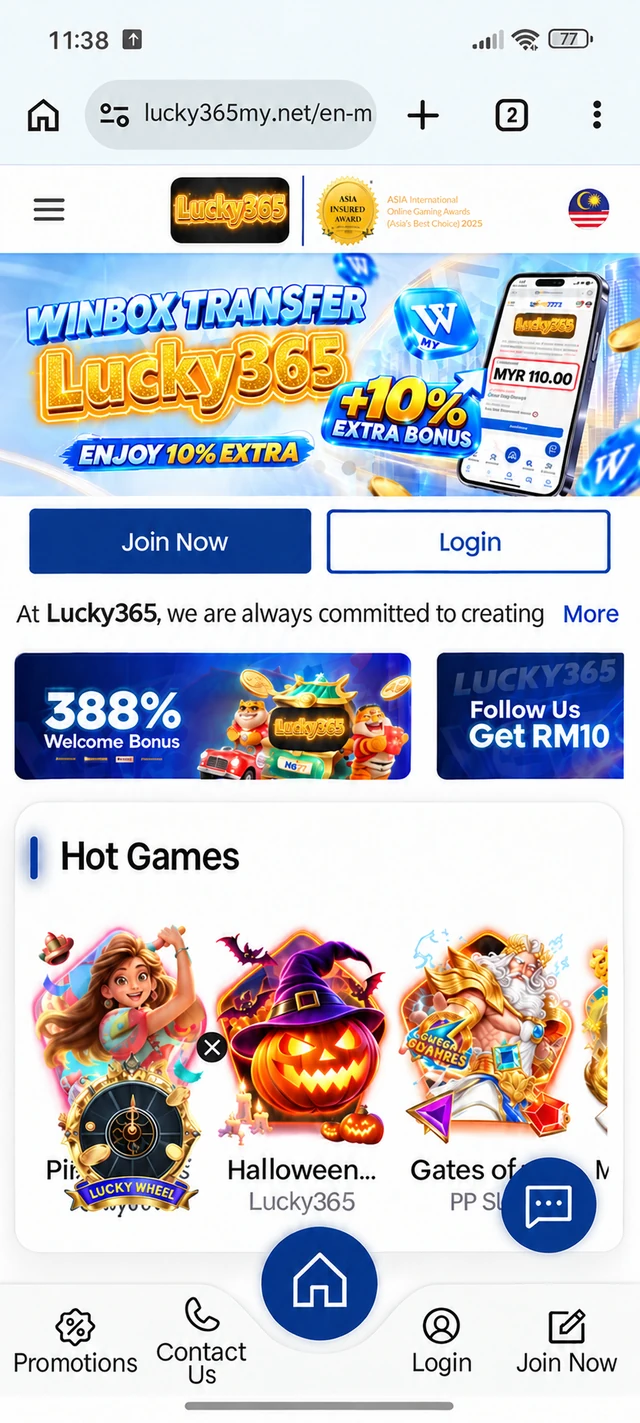
Lucky365 Android install step 1: the Lucky365 home page open in Chrome, with the three-dot menu at the top right

Open Lucky365 in Chrome

Open the official Lucky365 link in Chrome on your Android phone. Then tap the three dots at the top right.

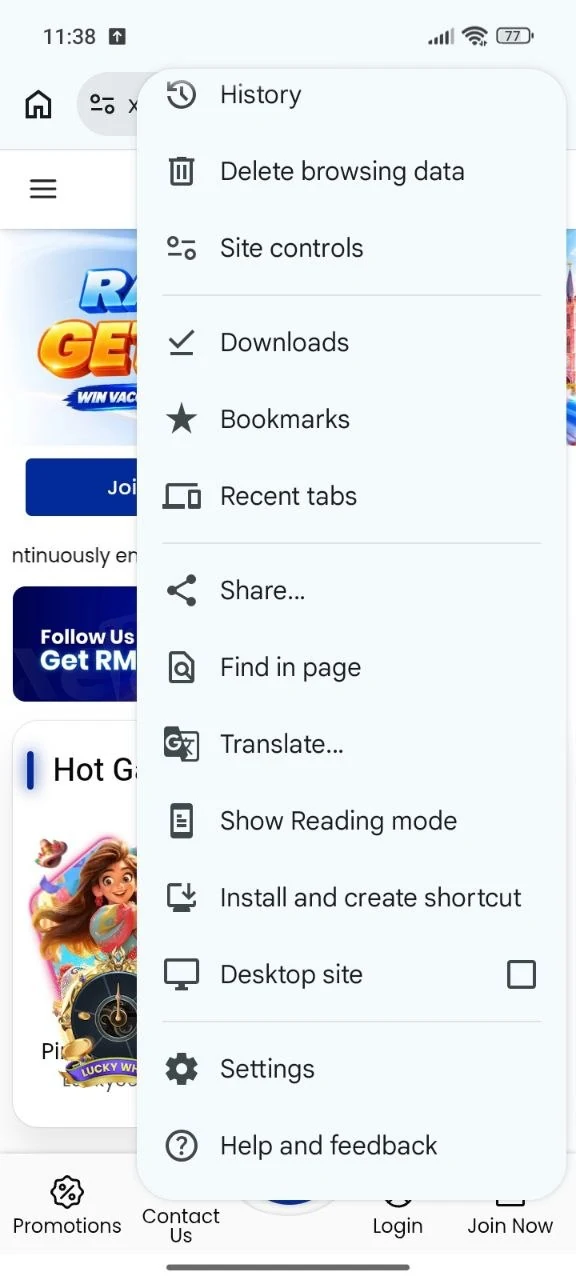
Lucky365 Android install step 2: the Chrome menu open, with Install and create shortcut in the list

Tap Install and Create Shortcut

Find Install and create shortcut in the menu and tap it.

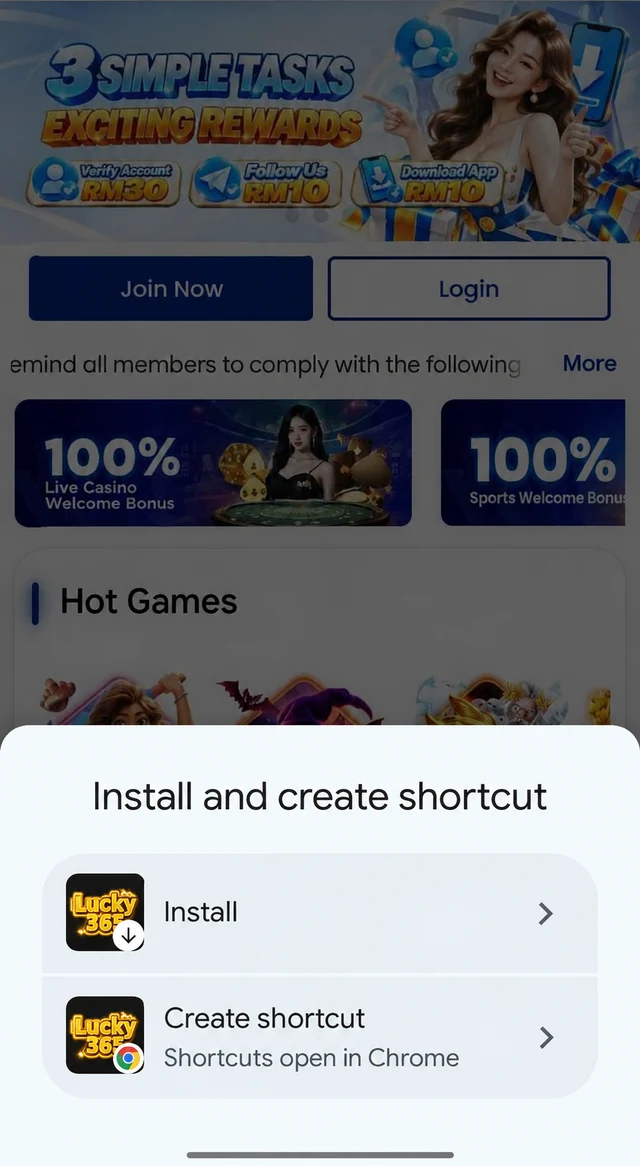
Lucky365 Android install step 3: the Install and create shortcut panel with Install and Create shortcut choices

Choose Install

Tap Install. The other choice, Create shortcut, only adds a link that opens in Chrome.

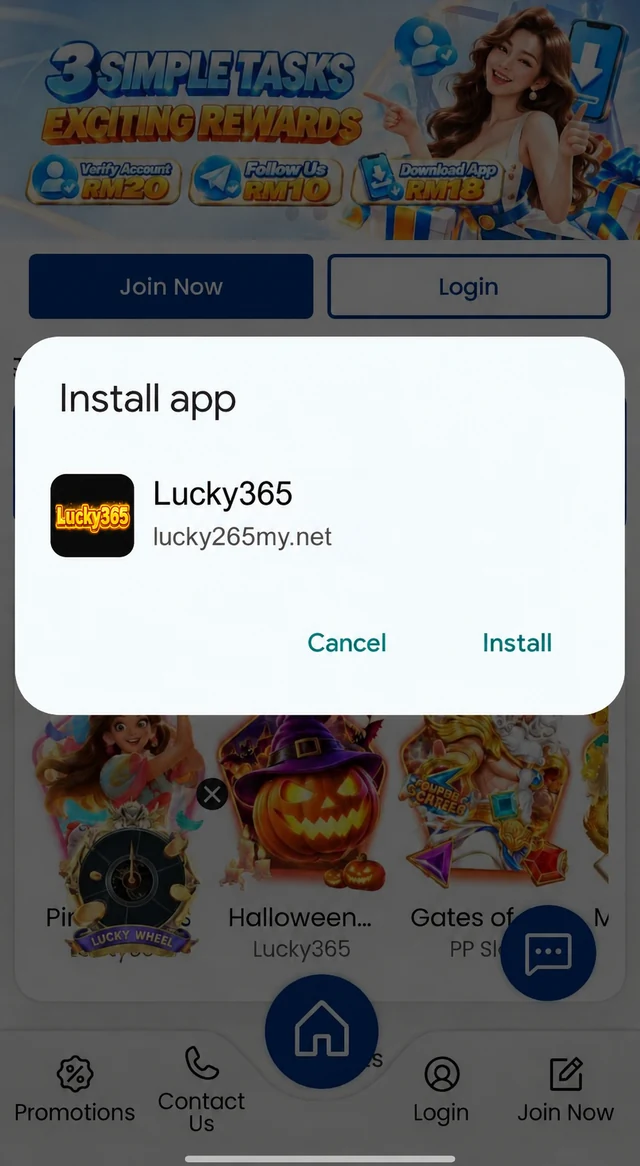
Lucky365 Android install step 4: the Install app dialog with Cancel and Install buttons

Confirm the Install

A box asks if you want to install the app. Tap Install.

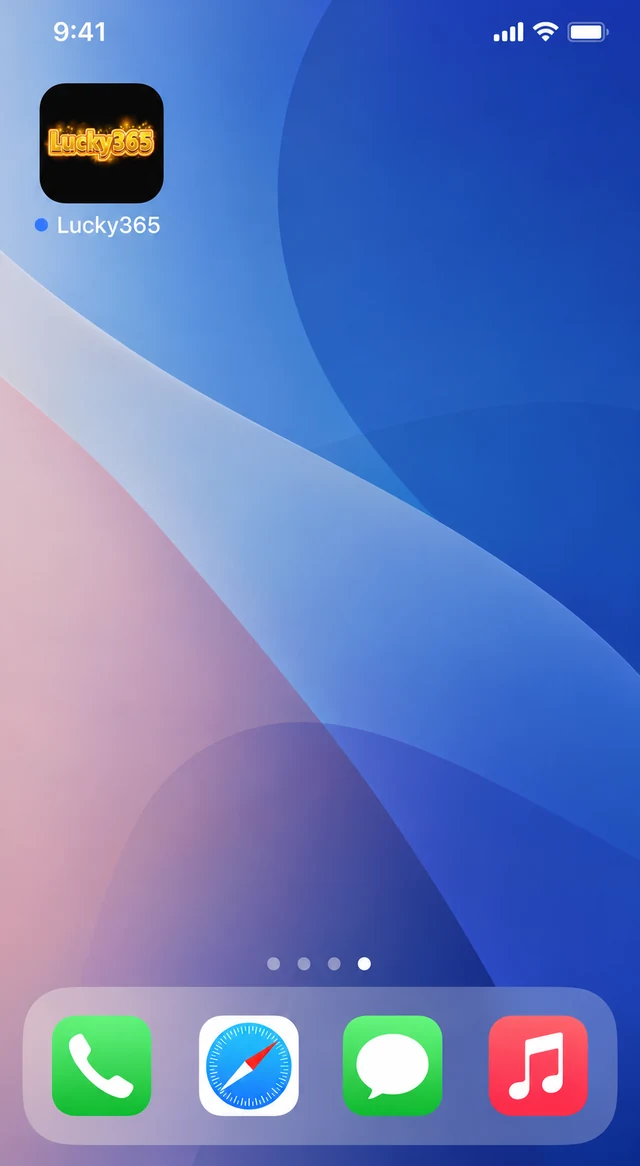
Lucky365 install step 5: the Lucky365 app icon on the phone home screen after the install

Open the App

The Lucky365 icon is now on your home screen. Tap it to open the app.

Step 1 of 5

Lucky365 works on both Android and iPhone, but you get it in a different way on each one. Pick the one that matches your phone.

Android APK

  • A small file, about 13 MB, that you install once
  • Opens with one tap from your home screen
  • Needs Android 7.0 or newer

iPhone H5

  • H5 is a web app that opens in Safari
  • There is no file to install
  • You can add a shortcut to your home screen

iPhone users do not need an APK file. Open Lucky365 in Safari, then add a shortcut to your home screen so it opens like an app.

  1. Open Safari on your iPhone
  2. Tap the Play on iOS H5 button below
  3. When Lucky365 opens, tap the Share button at the bottom of Safari
  4. Scroll down and tap Add to Home Screen
  5. Tap Add
  6. Next time, tap the Lucky365 icon on your home screen

Fake APK files can hide harmful software. A few simple habits keep your phone and your account safe.

  • Get the APK only from the download buttons on this site
  • Do not install files from chat groups, ads, or unknown links
  • Never share your password, even with someone who says they work for Lucky365
  • Keep your phone software and your browser up to date
  • If a file looks wrong, delete it and download it again from this page

Want to know more about Lucky365? Read the About Lucky365 page.

Most problems have a simple fix. Try these first.

  • The download does not start: check your internet connection, then tap the button again
  • The download stops halfway: move to Wi-Fi or a stronger signal and try again
  • Android will not install the file: allow installs from your browser in Settings, then open the file again
  • Not enough space: delete files or apps you do not use, then try again
  • The app will not open: restart your phone, then open it again

Still stuck? You do not need the APK to play. Open Lucky365 in your phone browser instead.

Once Lucky365 is on your phone, you are only a few taps from your first spin.

  1. New here? Follow the register guide to create your account
  2. Already have an account? Log in with your username and password
  3. Not ready for real money? Try the free demo first
  4. Pick a game from the slot library and start spinning

Is the Lucky365 APK free to download

Yes. The APK file is free to download and install. You pay nothing unless you choose to make a deposit.

Is Lucky365 on Google Play or the App Store

No. Lucky365 is not listed in app stores, so you get it from this site. Android users install the APK and iPhone users open the H5 web app. Your phone may show a warning for the APK because it does not come from Google Play.

How do I update the Lucky365 APK

The APK does not update by itself. Download the newest file from this page and install it, then open the app and log in as usual.

How do I remove the Lucky365 APK from my phone

Press and hold the app icon, then choose Uninstall. This only removes the app from your phone. It does not close your Lucky365 account.

Do I need an internet connection to use the Lucky365 app

Yes. Lucky365 is an online site, so you need Wi-Fi or mobile data to log in and play.