Creating a Lucky365 account only takes a couple of minutes, and you only need to do it once. After that, the same account works every time you come back to play.
Already have an account? Log in here instead.
New to Lucky365? Create your account in a few simple steps and start playing today.
Creating a Lucky365 account only takes a couple of minutes, and you only need to do it once. After that, the same account works every time you come back to play.
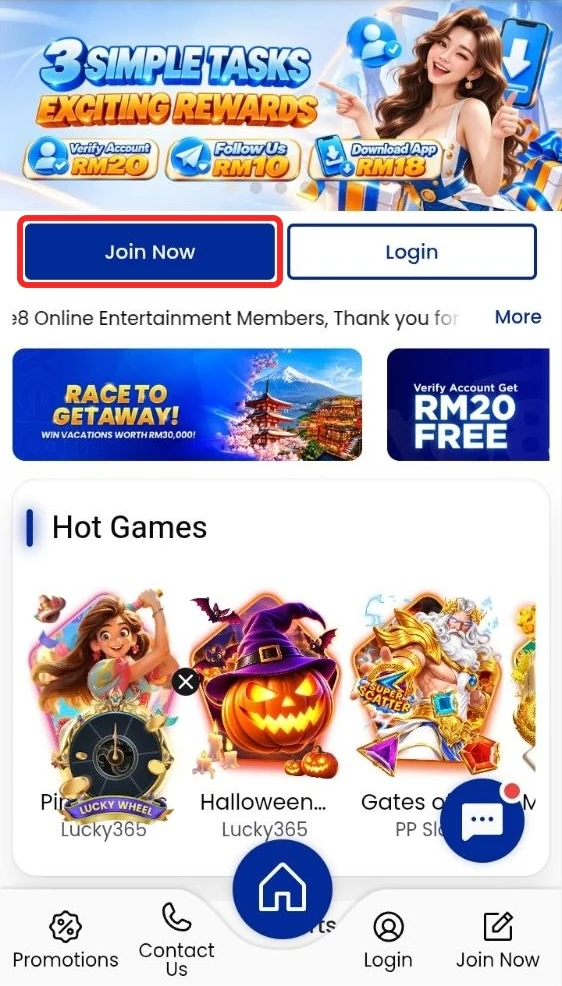
Open the official access link. Then tap Join Now at the top of the home page.
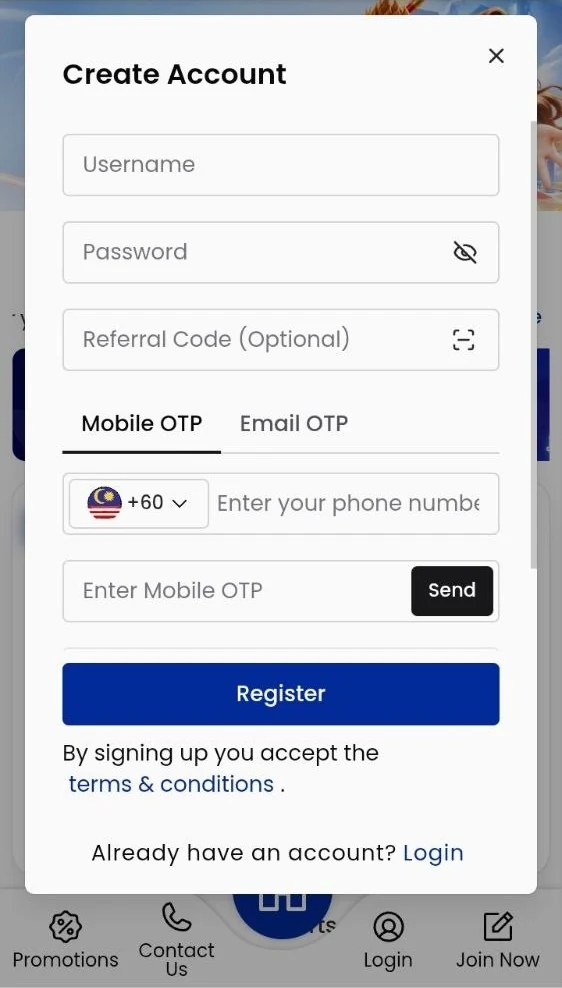
Choose a username and password. Add a referral code if you have one (optional).
Pick Mobile OTP or Email OTP, then enter your phone number or email. Tap Send and type the code you get. Confirm your currency, then tap Register.
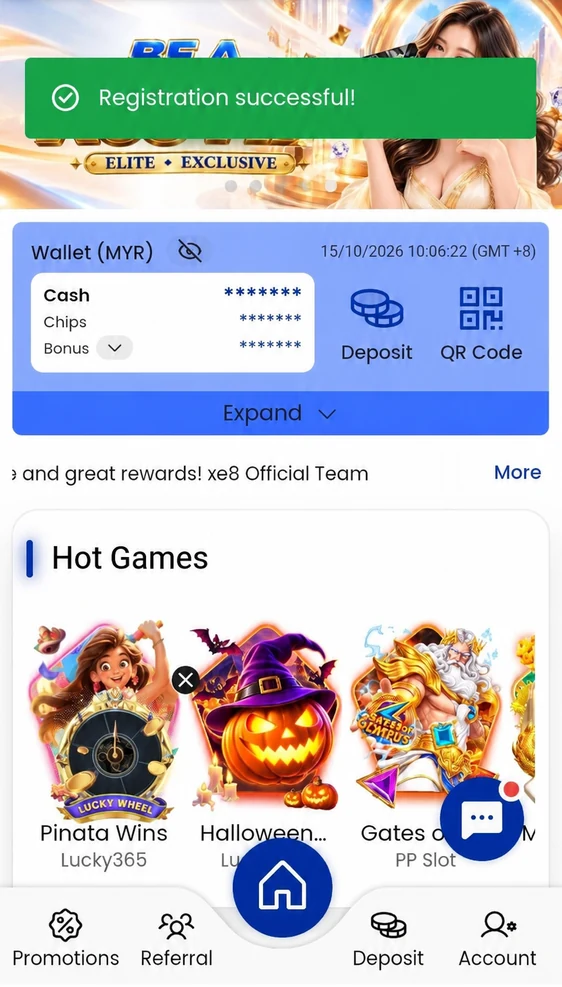
You will see a Registration successful message. Your new account is ready.

Step 1 of 3
Already have an account? Log in here instead.
Registration is simple and does not ask for much.
Once your account is ready, here is the usual path to your first spin.
Not ready to deposit yet? Try the free demo first.
Once your registration is successful, your Lucky365 account unlocks everything you need to play.
You should only use one personal account. Keeping to one account makes it easier to manage your balance and get support.
Yes. Creating a Lucky365 account does not cost anything. You only need funds once you are ready to deposit and play with real money.
You just need some basic personal details and a password you can remember. The form only takes a couple of minutes to complete.
Yes. You can register through your phone browser or the Lucky365 APK, whichever you prefer.
Yes. You can try the free demo first and register only when you feel ready to play with real money.